Body
When you check your grades in Canvas, take a moment to read your instructor’s feedback. Students who apply feedback tend to improve performance and stay on track. No comments from your instructor? Visit them during their student office hours and ask for guidance. They want you to come! Tip: you can generate a "what if" grade in Canvas before you go.
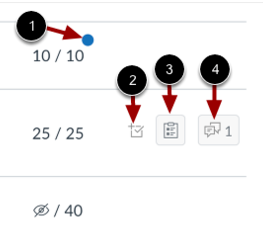
- Recently Graded
- Scoring Details
- Rubric Details
- Assignment Comments
|
Grades Page Icons
|